
Contact Tags
What it is
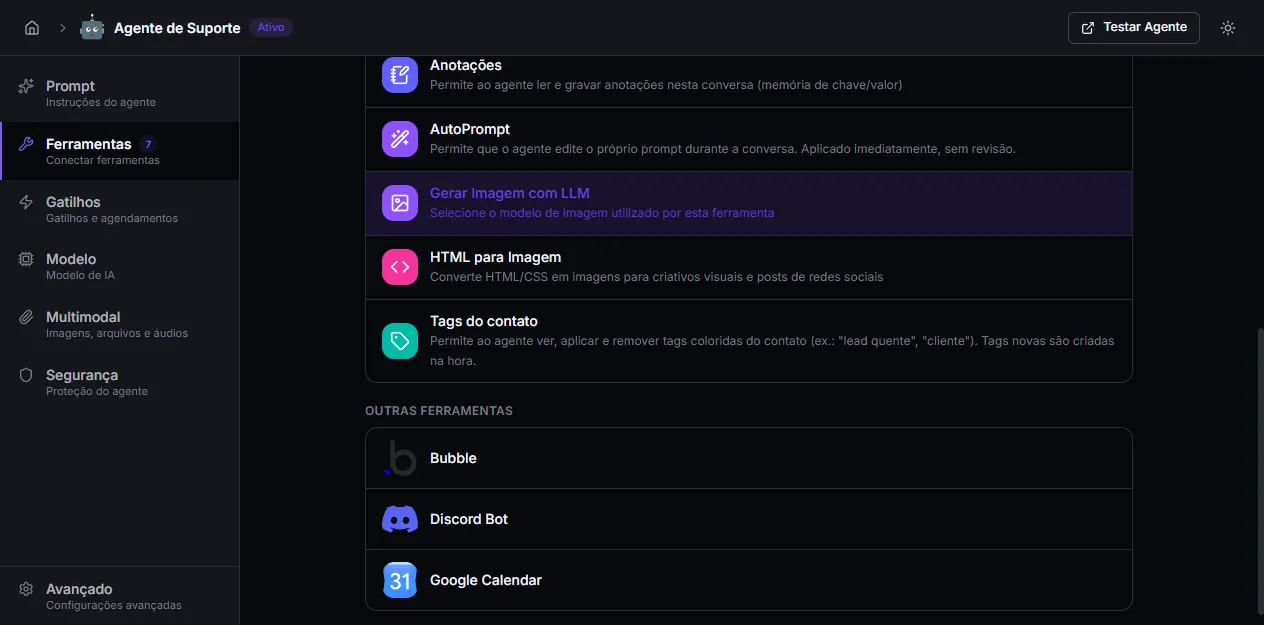
Section titled “What it is”A native tool that lets the agent view, apply, and remove tags on the conversation’s external contact. Tags are reusable, org-wide colored labels (e.g. “hot lead”, “customer”, “awaiting payment”) — when the agent applies a tag that doesn’t exist yet, it is created on the fly.
These are the same tags your team sees and manages in the inbox. For the full concept (catalog, colors, filter, contact panel), see Contact Tags.
When to use
Section titled “When to use”- Qualify leads automatically — tag
hot leadwhen the customer asks for a quote,coldwhen they’re just browsing. - Signal sales stages —
awaiting payment,customer,cancelled— so the sales team can filter the inbox later. - Routing and prioritization — tag the contact so a human (or another flow) knows what to do with them.
- Remove tags that no longer apply — drop
awaiting paymentonce the payment comes in.
Configuration
Section titled “Configuration”The tool has no configuration — just enable it.
- On the agent’s Tools tab, click + Add Tool.
- Under NATIVE TOOLS, pick Contact Tags.
In the agent prompt, describe when to apply each tag. Without explicit instruction, the model uses the tool sporadically. For example:
“When the customer shows buying intent, apply the
hot leadtag. When they confirm payment, removeawaiting paymentand applycustomer.”
How the agent invokes it
Section titled “How the agent invokes it”The tool has three actions:
- List — the agent reads the tags currently applied to the contact.
- Add — applies a tag by name. If the tag doesn’t exist in the organization’s catalog, it is created automatically (with a deterministically assigned color).
- Remove — takes a tag off the contact by name (the tag stays in the organization’s catalog).
The agent decides the action and tag name from the conversation context and what you wrote in the prompt.
Limitations and notes
Section titled “Limitations and notes”- Works on external contacts only. Tags belong to the contact (WhatsApp, Telegram, Instagram, public chat, widget, API). Internal Hub conversations have no external contact, so the tool has nowhere to apply and replies that there is no contact.
- Tags belong to the organization, not the conversation. A tag applied by the agent shows up instantly in the team’s panel and follows the contact across conversations and channels.
- Create on demand. Adding a non-existent tag creates it in the catalog. To avoid duplicate variants (
hot-lead,Hot Lead,hot lead), standardize the names in the prompt. - Removing from the contact ≠ deleting from the catalog. The remove action only undoes the application on that contact. Deleting the tag from the catalog is done by the team in the Manage tags dialog.
- Requires a tool-capable model. Like every native tool, it depends on the agent’s model supporting function calling.