AI for Project Management: 7 Tasks You Can Automate Today
See how to use AI in project management to automate status reports, task updates, risk identification, and deadline tracking without manual effort.
On this page
- Managing projects is easy. Managing people updating spreadsheets is not.
- 7 project management tasks AI can automate
- 1. Automated status reports
- 2. Automatic task updates
- 3. Risk and delay identification
- 4. Meeting summaries and decisions
- 5. Smart resource allocation
- 6. Onboarding new project members
- 7. Deadline tracking and follow-up
- How to build a project management agent
Managing projects is easy. Managing people updating spreadsheets is not.
Project management work has two parts. One is thinking: prioritizing, deciding, unblocking the team. The other is bureaucracy: chasing status, updating spreadsheets, writing reports, scheduling alignment meetings.
AI solves the bureaucracy. And leaves time for what matters.
7 project management tasks AI can automate
1. Automated status reports
Every manager knows the pain: Friday afternoon, building the weekly team report. Each person sends an update via Slack, email, random message. You compile everything into a document.
An agent can do this alone. It monitors team channels, collects updates, identifies what changed since last week, and builds the formatted report.
The manager reviews and sends. From 2 hours to 10 minutes.
2. Automatic task updates
The team works, but nobody updates the board. Jira stays outdated, Asana does not reflect reality, and the manager discovers the real status in Monday meeting.
An agent connected to development and communication tools can update tasks automatically:
- Detects when a pull request is merged and moves the card.
- Identifies when someone says “finished task X” on Slack and updates the status.
- Marks tasks as blocked when it detects unresolved dependencies.
The board stays alive without anyone needing to remember to update it.
3. Risk and delay identification
Projects get delayed because nobody saw the problem coming. Or they saw it but did not escalate.
An agent can monitor risk signals:
- Tasks that stayed idle for more than 3 days without updates.
- Dependencies between teams that were not resolved on time.
- Scope changes detected in conversations or documents.
- Team capacity compromised by absences or overload.
When it detects a signal, the agent alerts the manager before it becomes a crisis.
4. Meeting summaries and decisions
Project meetings generate lots of conversation and little documentation. Decisions stay in the heads of who was there.
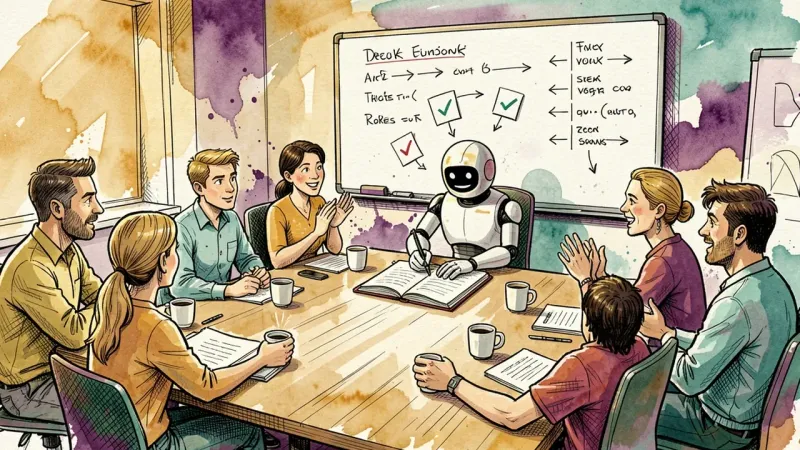
An agent can join the meeting, transcribe, extract decisions and action items, and distribute them to the responsible people.
It is not raw transcription. It is synthesis: “We decided X. Person A will do Y by Friday. Person B needs to approve Z.”
5. Smart resource allocation
Who is available? Who is overloaded? Who has the right skill for this task?
An agent with access to team history can suggest allocations:
- “Person A has similar experience with this type of task.”
- “Person B has 3 urgent tasks in parallel. Maybe redistribute.”
- “This task requires knowledge in X. Only person C and person D have this profile.”
It does not decide alone. It suggests. The manager approves or adjusts.
6. Onboarding new project members
A new team member on a project spends days understanding context. What has been done? What is the architecture? Who is responsible for what? Where are the documents?
An agent with access to the project knowledge base answers new member questions:
- “What is the status of the payments module?”
- “Who handles the gateway integration?”
- “Where is the API documentation?”
The new member integrates in hours, not weeks.
7. Deadline tracking and follow-up
Deadline approaching and nobody warned. Deadline passed and nobody noticed. Classic.
An agent monitors deadlines and does proactive follow-up:
- “3 days left until module X delivery. Is it on track?”
- “Task Y deadline was yesterday. Need help?”
- “Milestone Z is 80% complete. Realistic delivery estimate: Friday.”
No manual chasing. No forgetting anyone.
How to build a project management agent
The logic is the same as any agent: knowledge base, integrations, and guardrails.
Knowledge base: team methodologies, report templates, escalation policies, history of similar projects.
Integrations: Jira, Asana, Trello, Slack, Google Calendar, GitHub, Notion, or any tool your team uses.
Guardrails: the agent should not change deadlines without approval, should not expose sensitive information from one project to members of another, and should maintain professional tone in all alerts.
Create the agent by chatting with AgentMaker. Describe what it should do, connect the tools, and it is born configured.
Project management is about keeping the team focused on what matters. AI handles the rest. Start free, no credit card.